Avatar
Avatars represent users with images or initials. They support multiple sizes, fallback states, badges, and can be grouped for team displays.
Watercolor Portraits
CruxMD uses AI-generated watercolor portraits for doctor and patient avatars. These are created with Nano Banana Pro using a consistent prompt that produces soft, bleeding ink washes in our brand palette. The style avoids photorealism in favor of an artistic, approachable aesthetic.
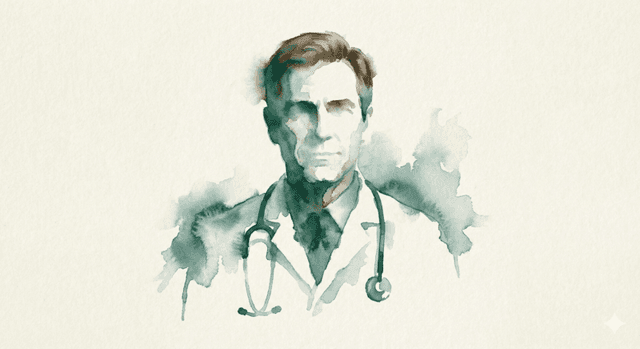
Dr. Brian Wilcox, MD
Internal Medicine
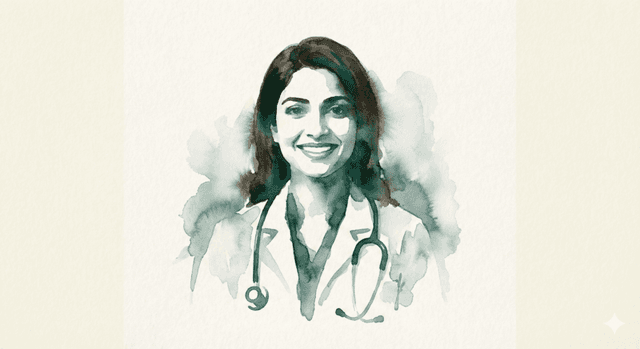
Dr. Priya Patel, MD
Family Medicine
Generation Prompt
Use the following prompt with Nano Banana Pro, substituting the description for each person:
Generate minimalist, wet-ink watercolor portrait of <description of person or reference image>. The person is in a smiling, front-facing "observer" pose, facing straight ahead, centered in the image. The form is defined by soft, bleeding washes of color rather than hard lines. The primary colors are "Vibrant Forest" (#2F5E52) and "Glacier Teal" (#5A7D7C), forming the silhouette of the head, brown hair, and shoulders. The edges of the watercolor are organic and feathery, bleeding into a textured, off-white "Alabaster" (#F0EAD6) paper background. No sharp details, just flowing color and texture.Guidelines
- Always use the brand colors Vibrant Forest and Glacier Teal as the primary palette
- Portraits should be front-facing and centered for consistent circular cropping
- File naming convention: lowercase, hyphenated name (e.g.
miguel-bashirian.png) - Strip diacritics from filenames (e.g. Andrés → andres) for URL compatibility
- Place files in
public/brand/avatars/ - The Avatar component falls back to initials if the image file is missing
Basic Usage
With image
Avatar displaying a user photo
With fallback
Avatar showing initials when no image
Sizes
Size comparison
Available avatar sizes
With Badge
Online status
Badge indicating user status
With icon
Badge with checkmark icon
Notification
Badge for notifications
Avatar Group
Basic group
Stacked avatars for teams
With overflow count
Showing additional members
Sized Groups
Large avatar group
Avatar group with large size
Props
| Prop | Type | Default | Description |
|---|---|---|---|
size | "sm" | "default" | "lg" | "default" | The size of the avatar |
Sub-components
| Prop | Type | Default | Description |
|---|---|---|---|
Avatar | AvatarPrimitive.Root & { size } | — | Container for avatar with size variants |
AvatarImage | AvatarPrimitive.Image | — | The user's profile image |
AvatarFallback | AvatarPrimitive.Fallback | — | Fallback content when image fails to load |
AvatarBadge | React.ComponentProps<"span"> | — | Status badge positioned at bottom-right |
AvatarGroup | React.ComponentProps<"div"> | — | Container for stacked avatars |
AvatarGroupCount | React.ComponentProps<"div"> | — | Overflow count indicator |